
Tickets as Threads
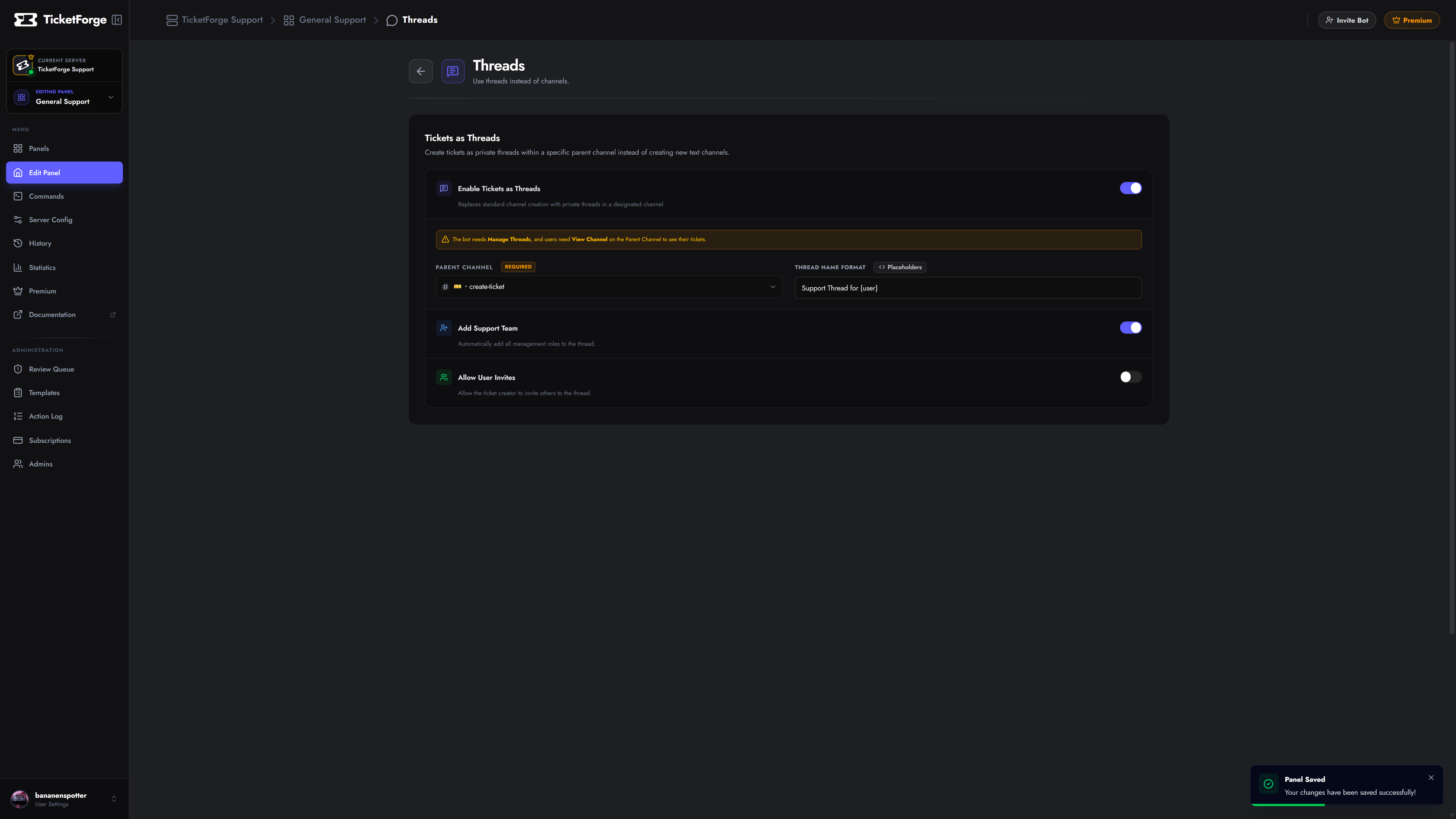
By default, TicketForge creates a new Text Channel for every ticket. The Tickets as Threads feature changes this behavior to create Private Threads inside a single parent channel.
Why use Threads?
Section titled “Why use Threads?”- Cleaner Sidebar: Prevents your server sidebar from getting cluttered with 50+ open ticket channels.
- Bypass Limits: Discord has a limit of 500 channels per server. Threads do not count towards this limit, allowing for thousands of tickets.
- Performance: Faster creation times on large servers.
Configuration
Section titled “Configuration”- Navigate to Panel Editor > Threads.
- Enable Tickets as Threads.
- Parent Channel: Select the text channel where the threads will live.
Options
Section titled “Options”| Setting | Description |
|---|---|
| Thread Name | Format: ticket-{count} or help-{user}. |
| Add Support Team | Automatically adds the configured support roles to the thread so they can view it. |
| Allow User Invites | Allows the ticket creator to invite other users to the thread via @mention. |