Access Limits & Cooldowns
Protect your staff from spam by restricting who can apply and how often.
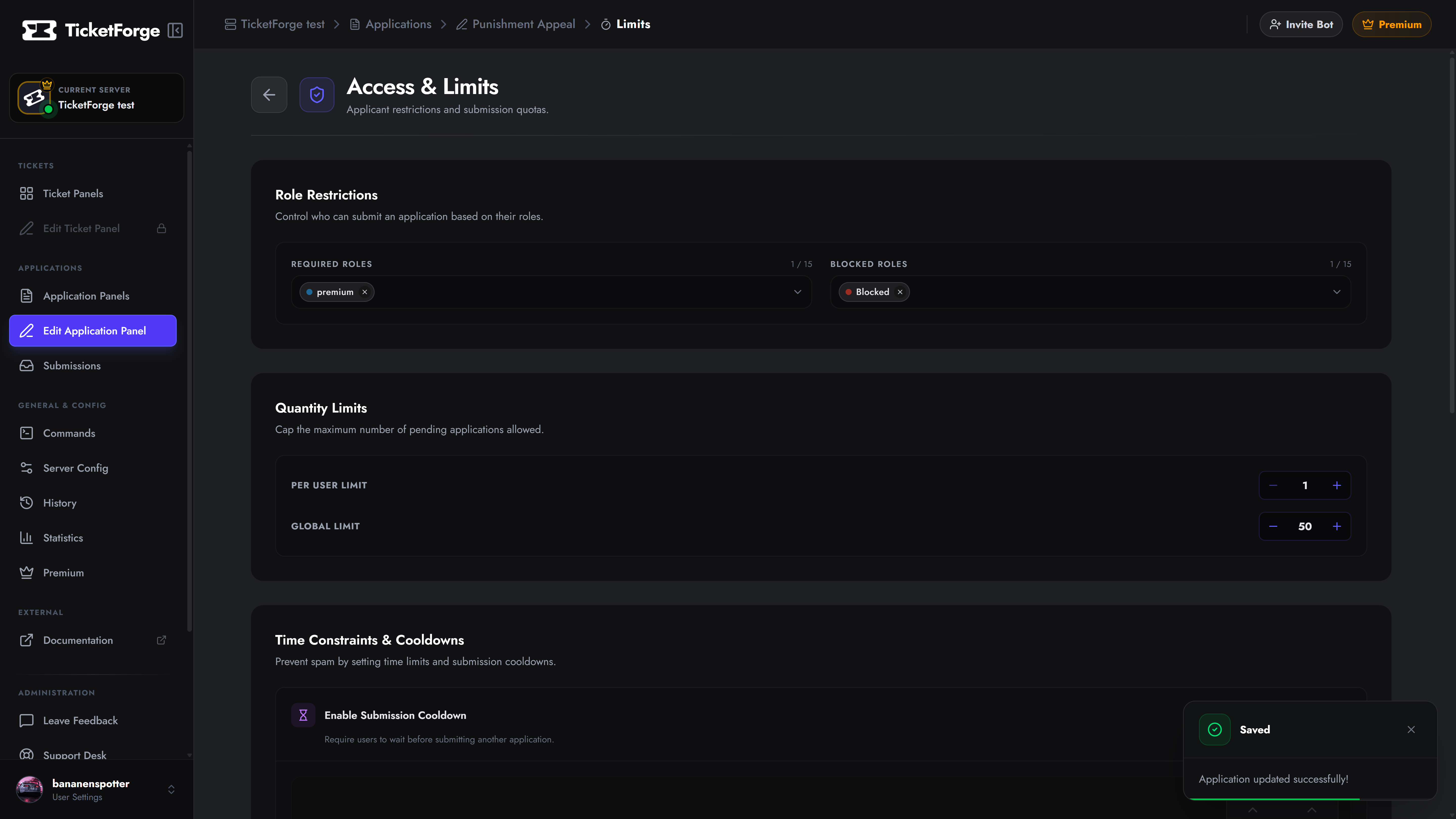
Navigate to Edit Application > Access & Limits to configure your server’s defense mechanisms.
1. Role Restrictions
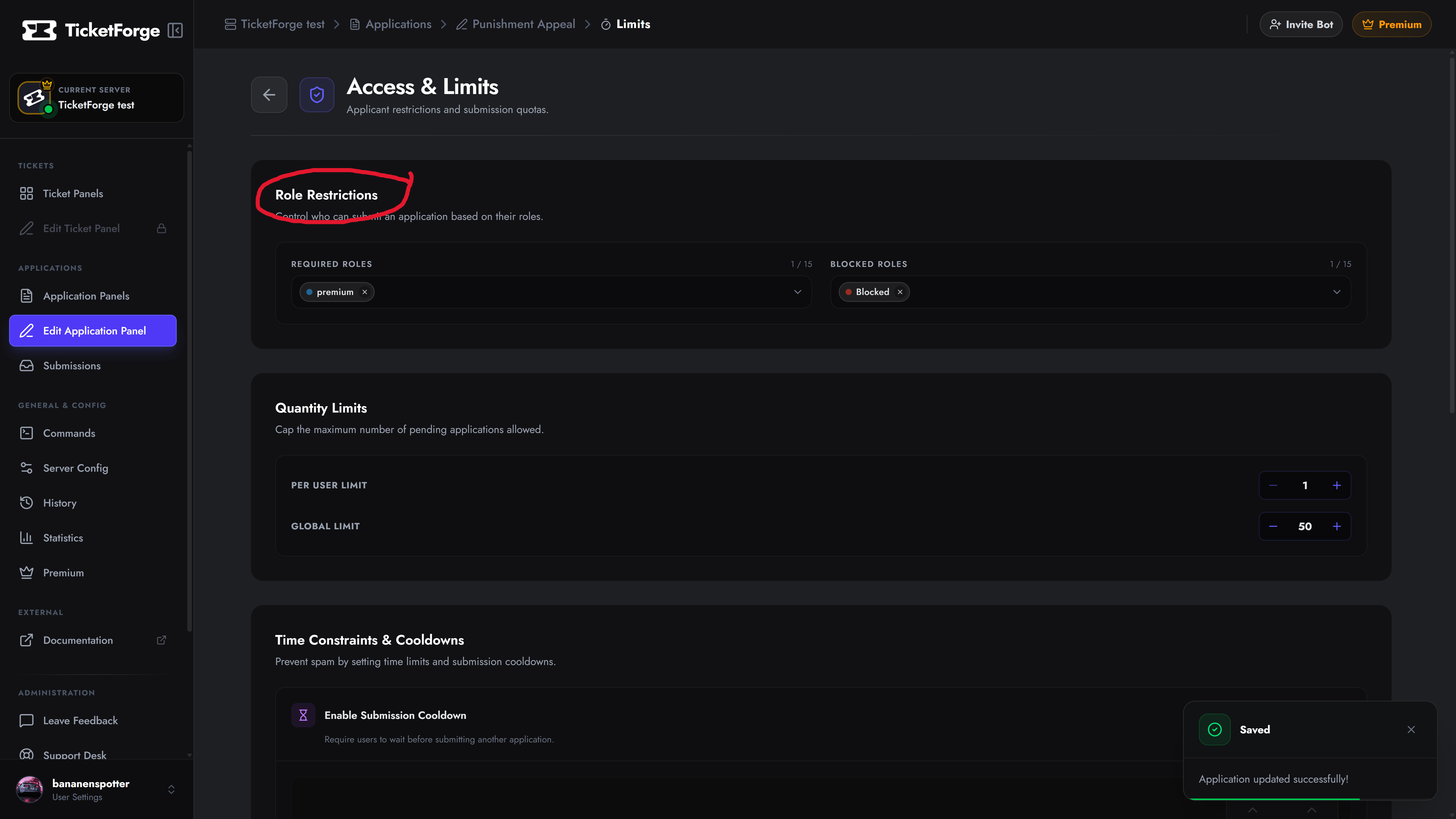
Section titled “1. Role Restrictions”Strictly define which Discord roles are permitted to view and start the application.
- Required Roles: The user MUST have one of these roles to see the application button. Useful for restricting forms to “Level 10+” or “VIP” members.
- Blocked Roles: The user is prevented from applying if they have ANY of these roles. This is perfect for blocking “Muted”, “Blacklisted”, or “Suspended” roles from spamming the system.
2. Quantity Limits
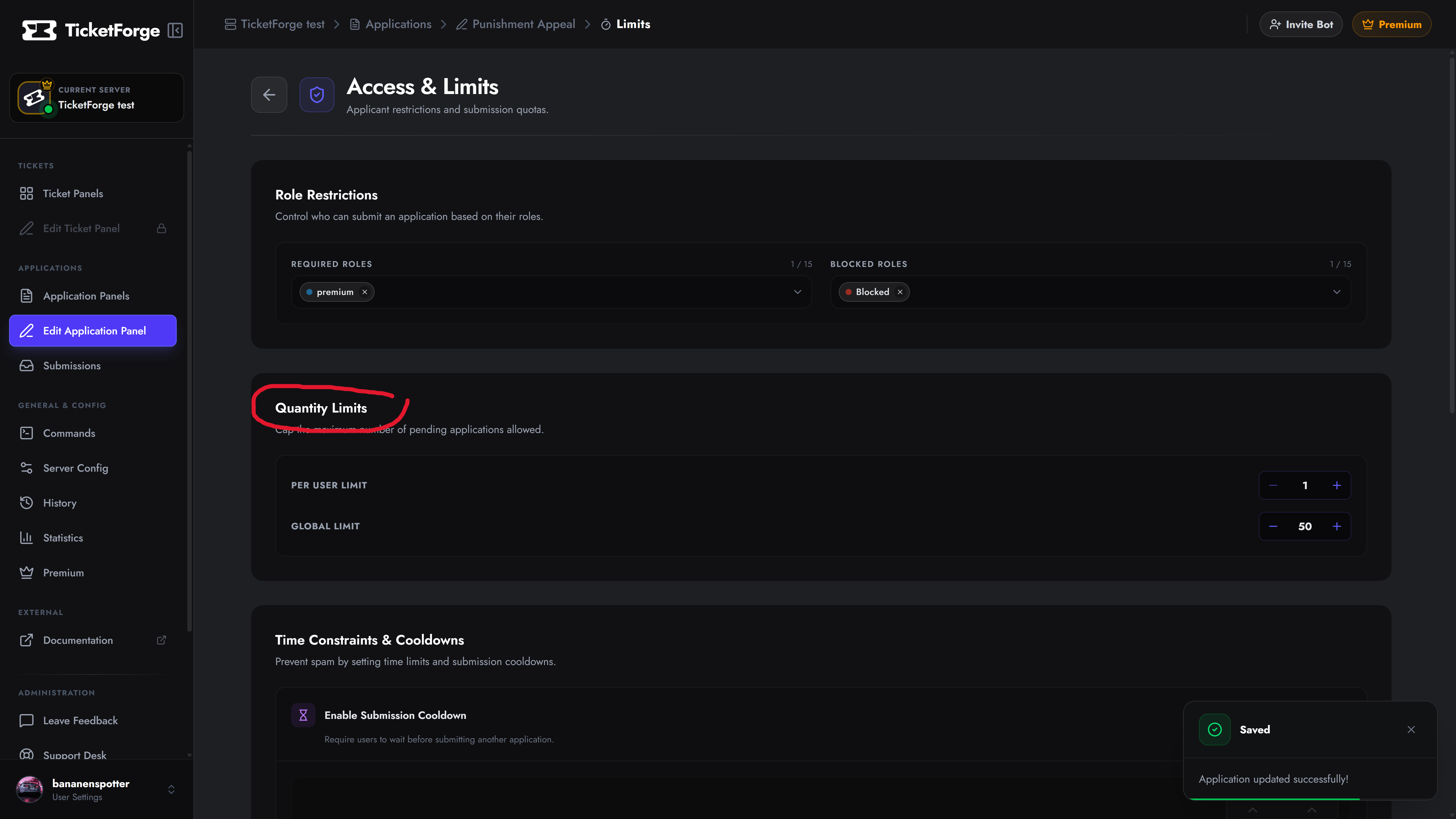
Section titled “2. Quantity Limits”Cap the volume of applications to ensure your staff isn’t overwhelmed.
- Per User Limit: Restrict users from having more than X pending applications at once. Usually, this is set to 1 to prevent a single user from submitting multiple identical forms.
- Global Limit: Cap the total number of unreviewed applications server-wide. If this limit is reached, nobody else can apply until staff reviews the existing backlog.
3. Submission Cooldowns (Premium)
Section titled “3. Submission Cooldowns (Premium)”Even if a user’s previous application was reviewed and denied, you might not want them instantly applying again.
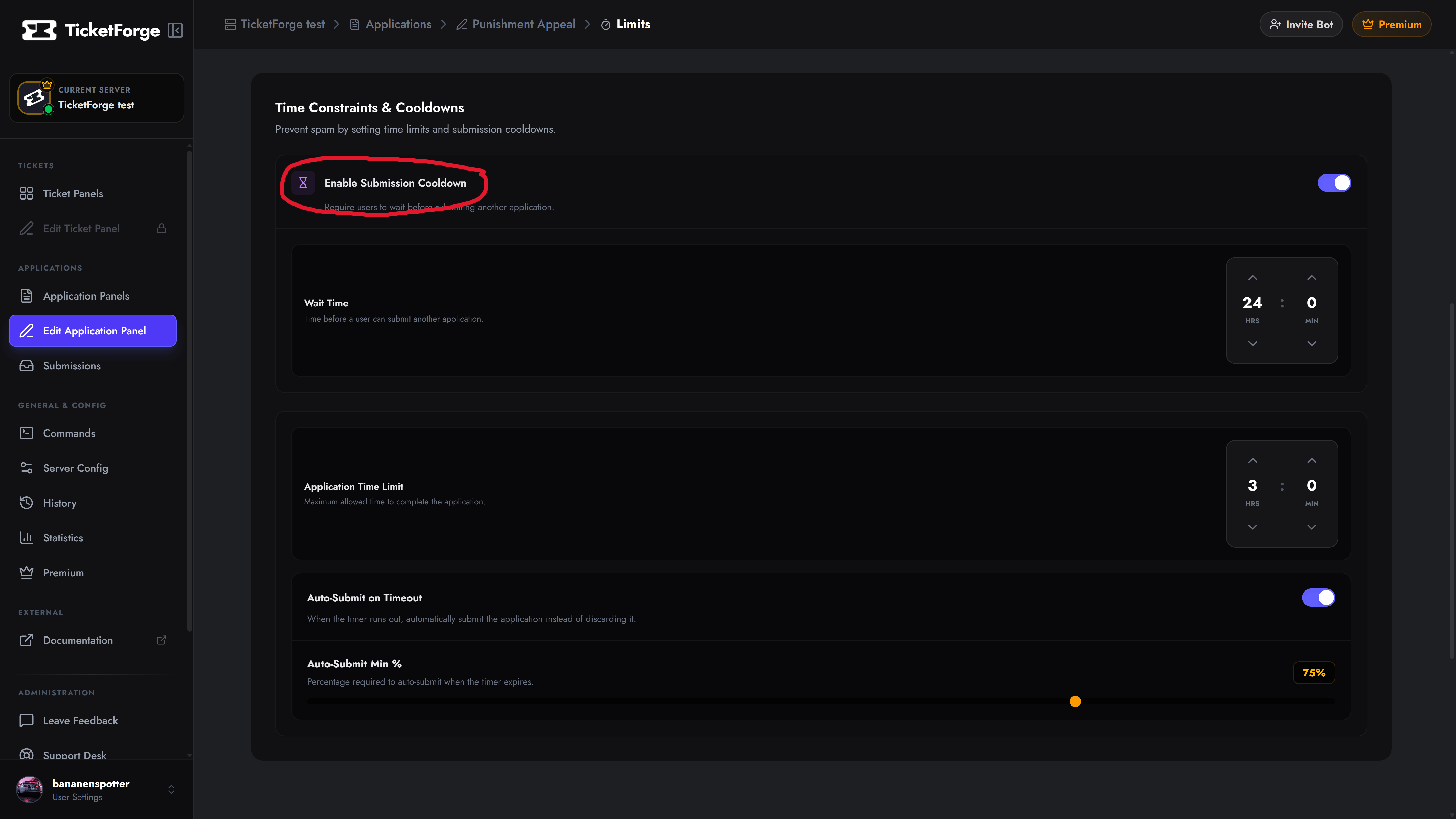
Enable the Submission Cooldown to force users to wait a specific amount of time (e.g., 7 days or 30 days) after submitting before they are allowed to apply for this specific form again.
4. Time Constraints
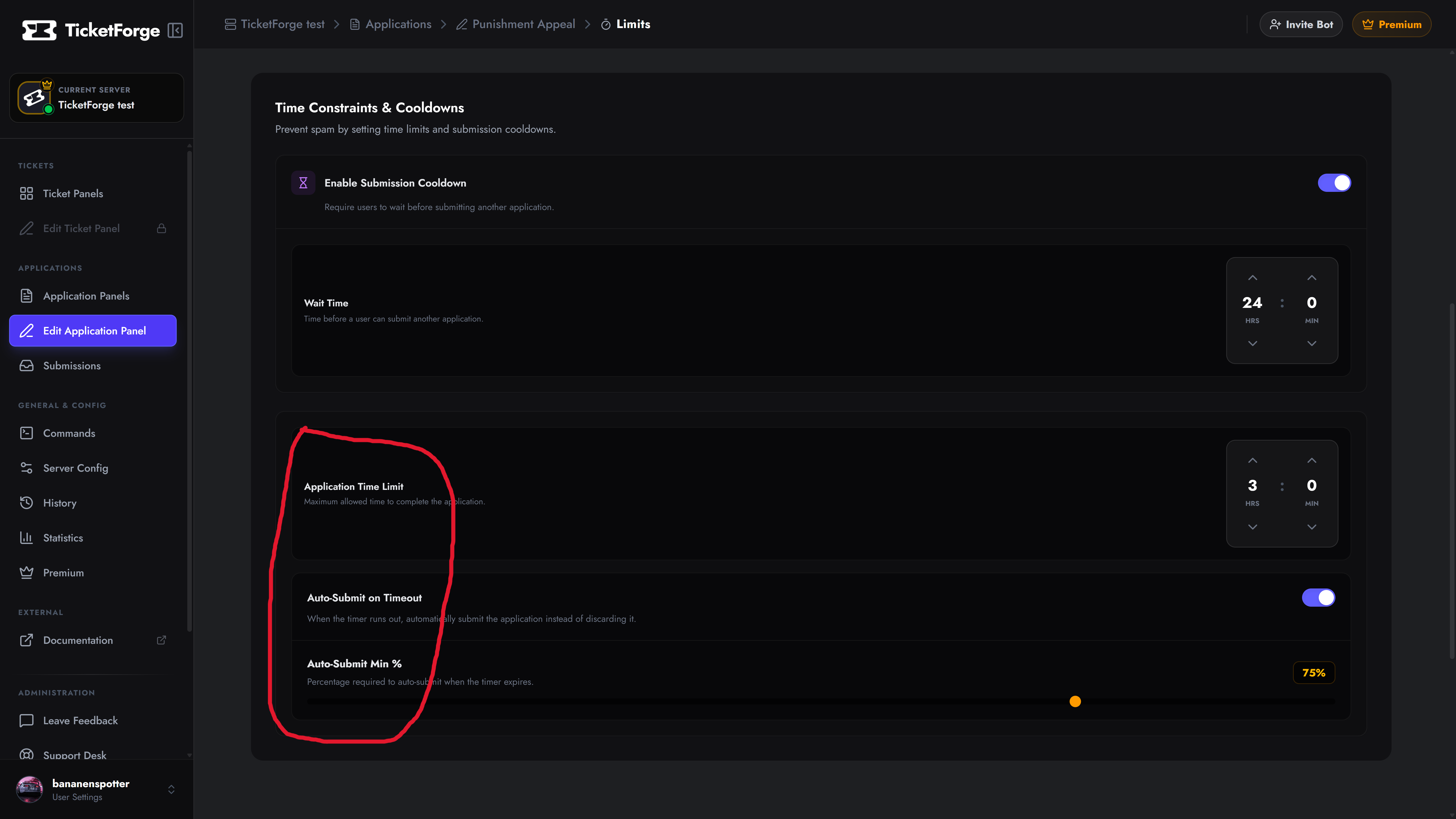
Section titled “4. Time Constraints”You can apply a countdown timer to the entire application process. This is excellent for exams, trivia, or ensuring users don’t hold an application “open” for days at a time.
- Application Time Limit: Set the maximum allowed time (in minutes or hours) to complete the entire form.
- Note: You can also set specific time limits on individual questions via the Questions tab.
- Auto-Submit on Timeout: (Premium) If the timer runs out, you can automatically submit whatever answers the user did finish instead of immediately discarding the application.
- Auto-Submit Min %: If Auto-Submit is enabled, you can require the user to have completed at least X% of the form for it to save. If they complete less than the minimum percentage when the timer expires, the application is discarded.