
Pre-Ticket Forms (Modals)
Pre-ticket forms require members to submit structured information before creating a ticket channel, giving your team immediate context.
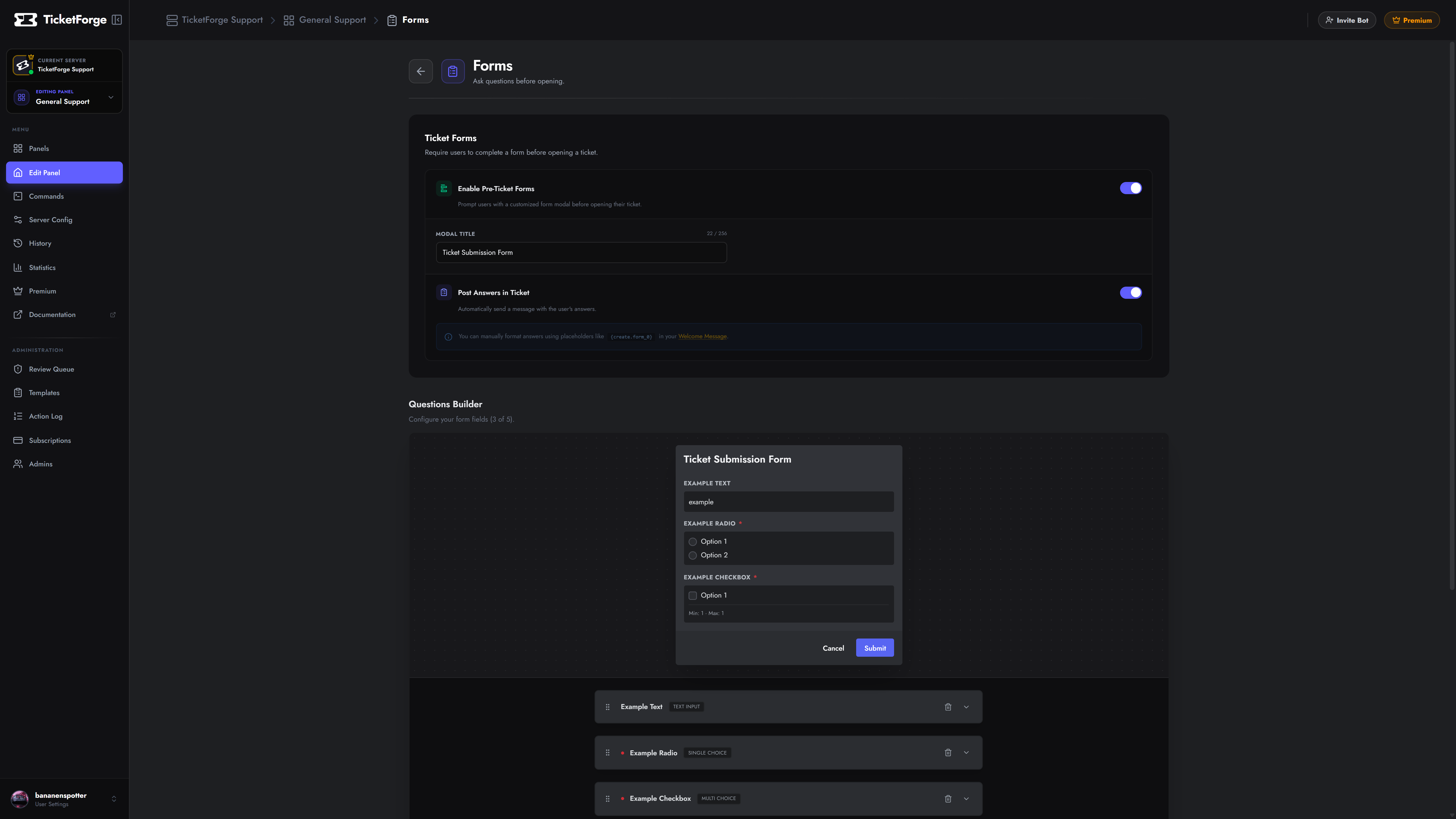
Configuration Flow
Section titled “Configuration Flow”- Navigate to Panel Editor > Forms.
- Toggle Enable Ticket Forms.
- Click Add Question.
Supported Field Types
Section titled “Supported Field Types”| Field Type | Inputs Supported | Operational Use Case |
|---|---|---|
| Text (Short) | Single-line input, character limits | Usernames, Order IDs, Transaction Hashes |
| Text (Paragraph) | Multi-line text area | Incident details, issue reproduction steps |
| Single Choice | Radio options (Choose 1) | Department selection, platform (PC/Console) |
| Multiple Choice | Checkboxes (Min/Max limits) | Affected services, server nodes |
Response Routing
Section titled “Response Routing”Once submitted:
- The ticket channel is provisioned.
- Form responses are rendered into a pinned Discord embed at the top of the channel.
- Variables are exposed globally for use in channel names (e.g.,
{create.form_0}).