
Limits & Support Schedules
Protect staff from spikes in support requests by enforcing concurrency limits and business hours.
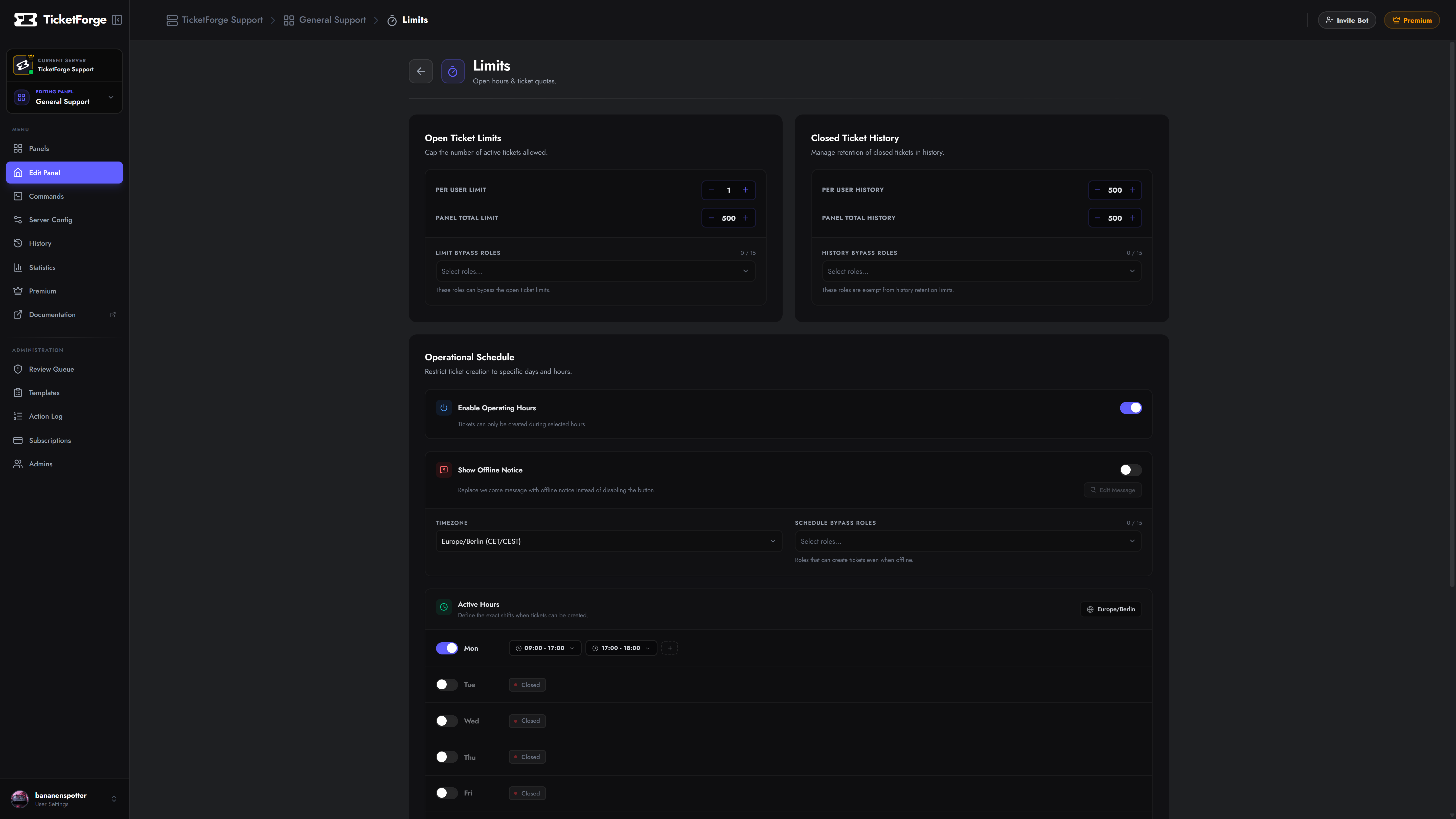
Concurrency Safeguards
Section titled “Concurrency Safeguards”- Per User Limit (Open): Maximum concurrent active tickets per account (Default: 1).
- Per User Limit (Closed): Total historical tickets retained per user before requiring cleanups.
- Bypass Roles: Exclude VIPs, staff, or server boosters from rate limits.
Operational Hours Matrix
Section titled “Operational Hours Matrix”- Set your operational Timezone (e.g.,
UTCorAmerica/New_York). - Configure the weekly operating grid to define open and closed hours.
- Select an enforcement action for off-hours:
- Disable Creation: Blocks ticket interaction entirely.
- Notification Mode: Creates the ticket, but warns the user that responses will be delayed until operating hours resume.